Find your writing flow
Headings, task lists, slash commands and Markdown shortcuts. Find your way through long documents with searchable, collapsible headings. Move whole sections and adjust their heading levels together.
/ commands · @ mentions studioeditor
From first thought to final draft. Write, format and tell your story with images. Studio is your browser-based writing workspace and a Vue editor you can make part of your product.
No account needed. Your documents stay in this browser.
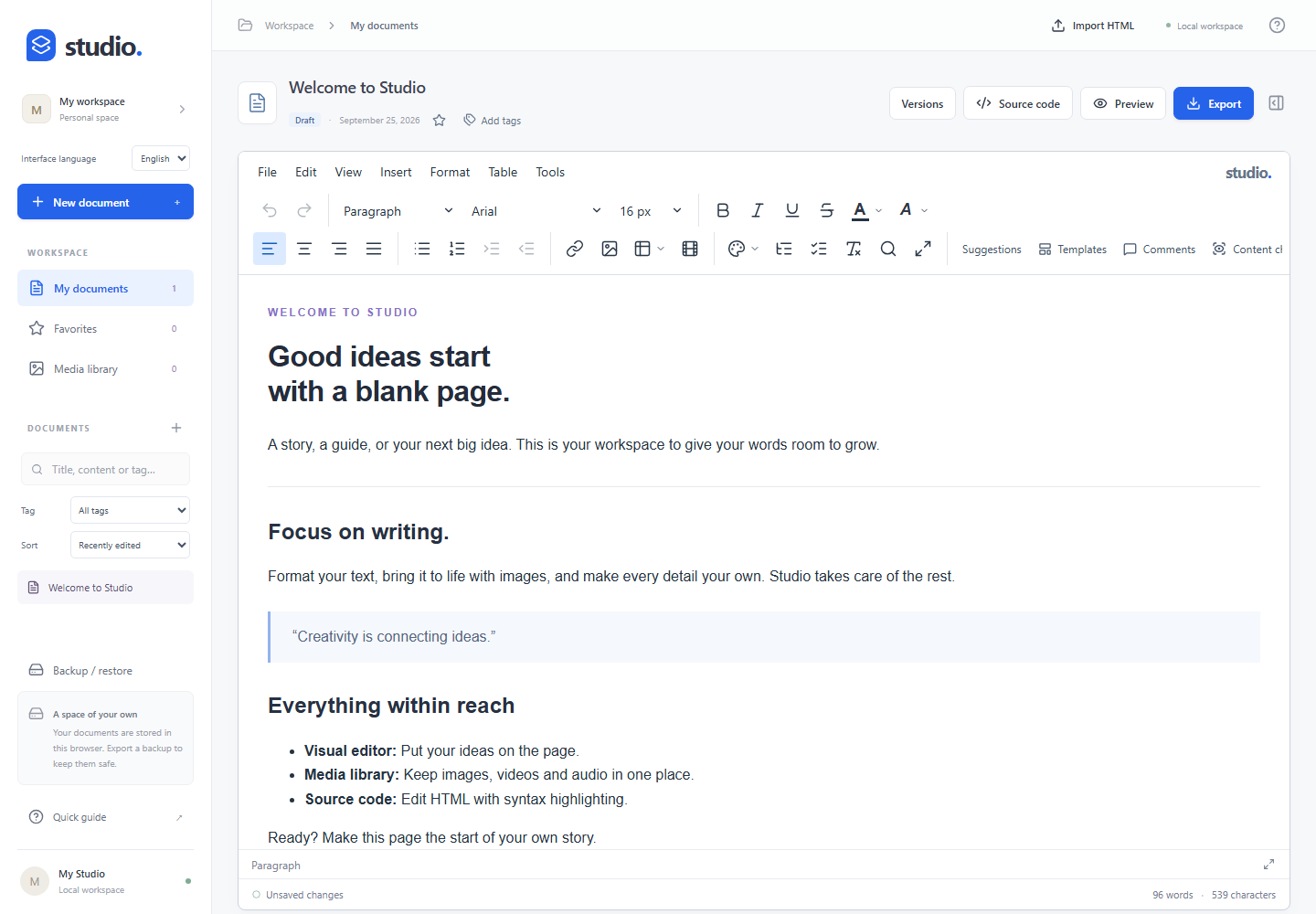
From everyday notes to detailed content, all in one workspace.
Headings, task lists, slash commands and Markdown shortcuts. Find your way through long documents with searchable, collapsible headings. Move whole sections and adjust their heading levels together.
/ commands · @ mentionsSelect multiple cells, merge, resize columns and format in bulk. Paste tables from Excel and Google Sheets.
Cell formatting · TSV pasteAdd images from your media library, then crop, rotate and adjust their colors. Work with video, audio and PDF files too. Add LaTeX equations, chemical reactions and editable molecule drawings from the Math & chemistry dialog.
Image editing · Equations · MoleculesFavorites, tags and full-text search. Keep going with autosave, persistent versions and full workspace backups.
Local storage · Version historyAdd comments to text, reply and resolve them. Suggest edits to a selection, then accept or reject each change. Filter content checks, repair heading gaps and captions, and download a review report.
Comments · Content checks · Review reportsOpen the HTML source, preview and export your work. Download a DOCX file or print to PDF from your browser.
HTML · DOCX · Print to PDFRun the standalone app or add the Vue 3 component to your product. Connect it using HTML and JSON APIs, events and media adapters.
Vue component documentationgit clone https://github.com/metinweb/studio-editor.git
cd studio-editor
npm ci
npm run devStudio Editor is an evolving beta. Contribute a bug report, an improvement or an idea worth exploring.
Real-time collaboration is experimental. Automatic track changes and DOCX import are not yet supported. The demo stores documents locally; back up your work before clearing browser data.